







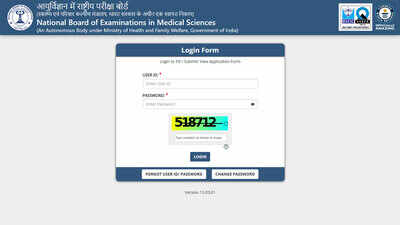
FMGE admit card 2026: The National Board of Examinations in Medical Sciences (NBEMS) is scheduled to release the FMGE October 2026 admit card today, October 27, 2026. Candidates appearing for the Foreign Medical Graduate Examination (FMGE) will be able to download their hall tickets from the official website, nbe.edu.in, once the download link is activated.The FMGE October 2026 examination is scheduled for October 31, 2026, in computer-based test (CBT) mode. Candidates should download their admit cards promptly after release, verify the information printed on them and follow the examination instructions. The admit card will contain the examination centre details required for candidates to plan their visit.FMGE admit card 2026: Key detailsThe admit card download link is yet to be activated. Candidates can refer to the following details for the examination session.
| Particulars | Details |
| Examination | FMGE 2026 |
| Admit card release | October 27, 2026 |
| Examination date | October 31, 2026 |
| Examination mode | Computer-based test |
| Official website | nbe.edu.in |
| Admit card status | Awaited |
Exam city slip and important datesNBEMS released the exam city intimation slip on October 20, 2026. The slip informs candidates about their allotted examination city, whereas the admit card provides the examination centre details. The city intimation slip is not an entry pass and cannot replace the admit card at the examination centre.The key dates for the October session are listed below.
| Event | Date |
| Exam city intimation slip | October 20, 2026 |
| Admit card release | October 27, 2026 |
| FMGE examination | October 31, 2026 |
| Result expected by | November 30, 2026 |
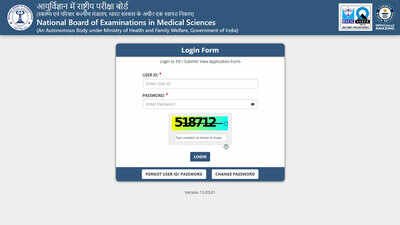
Direct link to visit the login page | Official WebsiteThe result date is based on the published schedule and may be revised through official updates.How to download the FMGE admit cardCandidates can follow these steps once the download facility becomes available:Step 1: Visit nbe.edu.in.Step 2: Open the examinations section and select FMGE.Step 3: Find the October 2026 examination session.Step 4: Click on the applicant login link.Step 5: Enter the registered user ID and password.Step 6: Open the admit card link.Step 7: Verify the details and download the PDF.Step 8: Print a copy for examination day.Details to verify on the hall ticketCandidates should check their name, application details, roll number, examination date, reporting time, centre name and address, photograph, and examination-day instructions. Any discrepancy should be reported to NBEMS through its official communication channels before the examination.FMGE examination day guidelinesCandidates must carry a printed admit card and a valid photo identity document accepted under the examination rules. They should check the reporting time and entry instructions printed on the hall ticket and reach the allotted centre accordingly.Candidates should monitor the official NBEMS website for the activation of the download link and any additional examination-related instructions.